 English

$300.00


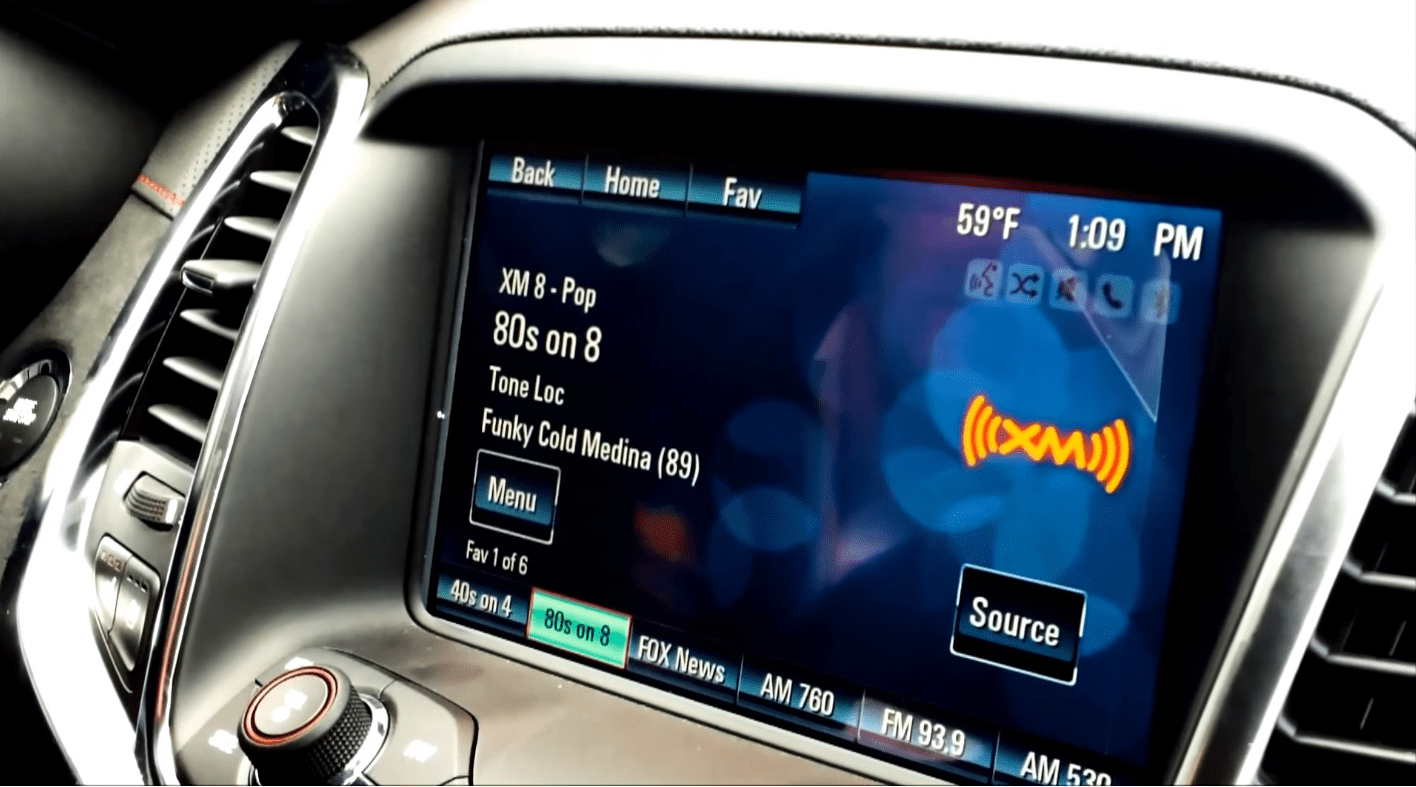
Custom-program your Holden VF MyLink radio — enable features that were disabled from the factory, unlock hidden apps, and tailor the head unit to your build (including replacement-radio configuration and HSV conversions).
DIY at home using the included OBDSync scantool and a 3-token redemption serial that you redeem onto your own OBDSync account. Plug into your VF’s OBD-II port, follow the on-screen steps, and reconfigure the MyLink in minutes — no need to ship the radio anywhere.
Includes core features: Photo App (USB photo viewer), Factory 3.5mm Aux input, EDI icon support, and a wide range of other configurable options. Get in touch before ordering for bigger conversions.
Unlock and customise your VF MyLink head unit — enable factory-disabled features, add hidden apps, configure your trim level, fit a replacement or navigation radio, or run a full HSV conversion. DIY kit ships with an OBDSync scantool and a 3-token redemption serial, programmed from a Windows laptop at home.
The VF MyLink head unit (also fitted to Chevrolet SS and Caprice PPV exports) ships with a long list of features that are disabled in software from the factory, plus configuration tied to your specific trim level and vehicle build. This kit gives you full access to reconfigure those settings to suit your build.
Use it to turn on factory-hidden features (photo viewer, aux input, EDI icon and more), tailor the MyLink to a swapped-in upper-trim or navigation unit, or run a full HSV-style conversion on a base-spec radio. Programming runs through OBDSync on a Windows laptop — no need to remove or ship the radio.
These are the most popular configuration changes customers run with this kit — all included as part of the 3-token bundle:
Beyond the toggle-level features above, the OBDSync software can run much bigger reconfigurations — swapping in a navigation-equipped MyLink, converting a base radio to HSV spec, retrim coding, or any combination of the above.
Get in touch before ordering with the details of your build and we’ll confirm what the job needs in tokens.
Provide your VIN at checkout. We ship the OBDSync scantool together with a printed 3-token redemption serial.
Download & install OBDSync (Windows 10 / 11, 64-bit). Create or sign in to your OBDSync account, then enter your redemption serial to add the 3 tokens to your own account.
Plug the scantool into your VF’s OBD-II port, select the features you want to toggle in OBDSync, and the MyLink is reconfigured in minutes.
Watch the full programming process end-to-end — from connecting the OBDSync scantool to selecting and applying the configuration changes on a VF MyLink:
Works on all Holden VF Commodore and HSV Gen-F vehicles with the factory MyLink head unit (2013–2017):
OBDSync runs on Windows 10 or Windows 11 (64-bit only). A laptop is recommended so you can sit in the car with the scantool plugged into the OBD-II port. A free USB-A port is required.
When you add this product to your cart you’ll be asked for your VIN so we can verify the kit is suitable for your vehicle. Your scantool and printed token redemption serial are dispatched once your order is processed — you then redeem that serial yourself inside OBDSync to apply the tokens to your account.
DIY kit only — program from your driveway in minutes. For bigger conversions, get in touch before ordering.
| Weight | 0.2 kg |
|---|---|
| car-model | Clubsport, Grange, GTS, Maloo, Senator, Commodore, Ute, Calais, Caprice |
| car-year | 2017, 2016, 2015, 2014, 2013 |