 English

$250.00


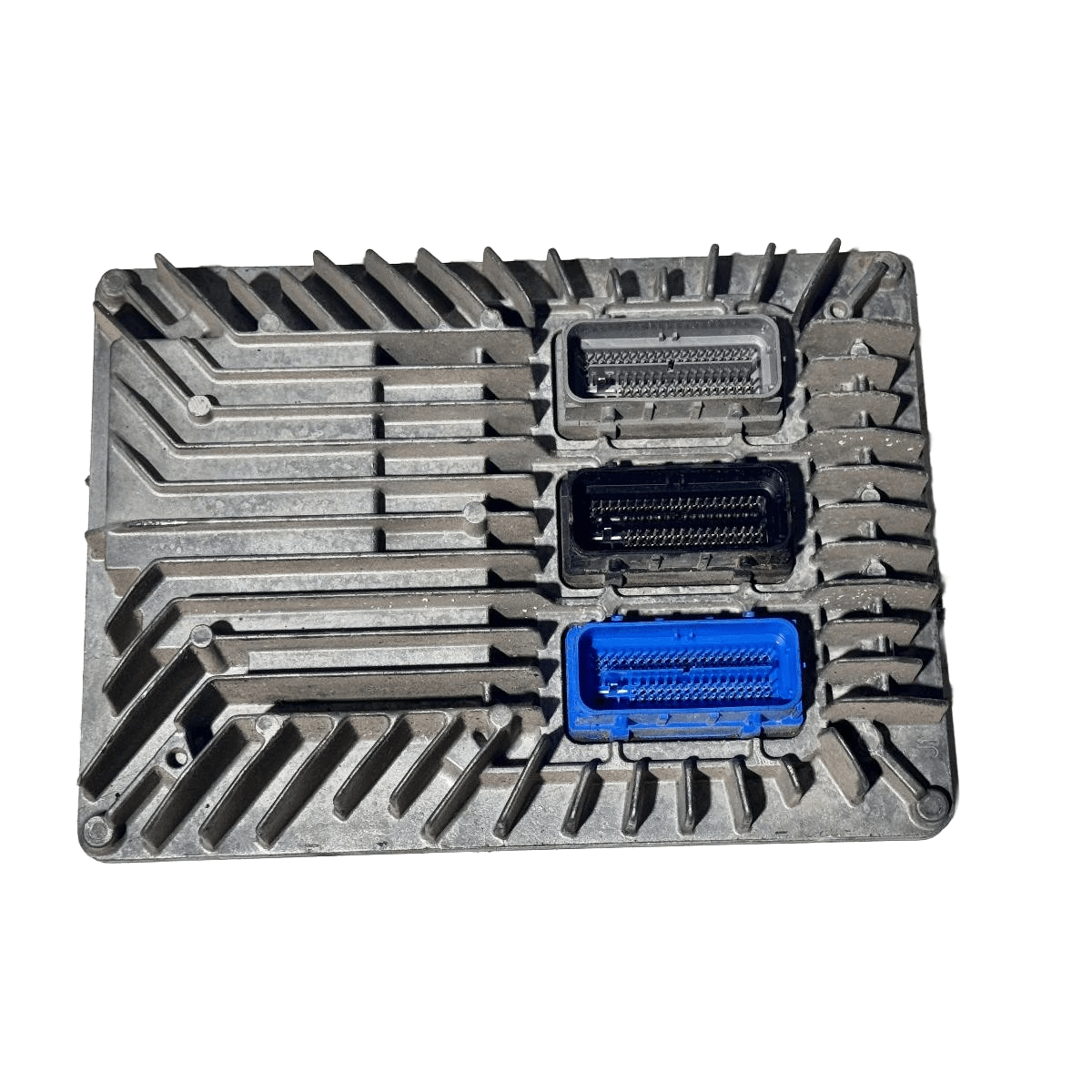
DIY VF Engine Control Module (ECM) Programming Service — security link a replacement ECM to your VIN, flash calibration updates, disable AFM/DOD on V8s, and run post-fit relearns. All performed in your driveway over OBD-II.
Kit ships with an OBDSync scantool and 2-token redemption serial. No removal, no ship-in — the ECM stays in the car.
Covers VF V6 (LFX) and V8 (L77 / LS3) drivetrains across the full 2013–2017 production run.
Security link a replacement ECM to your VIN, push the latest GM calibration updates, disable AFM / DOD on V8s, or run any of the post-fit learns the module needs. DIY kit ships with an OBDSync scantool and a 2-token redemption serial — programmed in your driveway over OBD-II.
The Engine Control Module (ECM) on your VF Commodore or HSV Gen-F manages everything from fuel injection and ignition timing through to the AFM cylinder deactivation system. Whether you’ve fitted a used or replacement ECM from another car, want to disable AFM/DOD on a V8, or just need to push the latest factory calibration updates, this kit covers it.
All work is done in the vehicle via OBD-II using OBDSync on a Windows laptop — no need to remove or ship the ECM. Includes the scantool and a 2-token redemption serial so you’ve got everything needed to complete the job in your driveway.
Active Fuel Management (also called Displacement on Demand) shuts off 4 of the 8 cylinders during light load to save fuel. The constant cycle of cylinders coming on/off is widely linked to lifter failures on the L77 / LS3 V8s. Turning AFM off keeps the engine running on all 8 cylinders all the time — many V8 owners disable it preventatively, especially after a cam upgrade.
Provide your VIN at checkout. We ship the OBDSync scantool together with a printed 2-token redemption serial.
Download & install OBDSync (Windows 10 / 11, 64-bit). Create or sign in to your OBDSync account, then enter your redemption serial to add the 2 tokens to your own account.
Plug the scantool into your VF’s OBD-II port, select the ECM options you want in OBDSync, and the work is completed in minutes.
Watch the full OBDSync DIY walkthrough for the VF Engine Control Module (ECM) — security linking a replacement ECM, flashing calibration updates and disabling AFM/DOD on V8s, step by step.
Works on all Holden VF Commodore and HSV Gen-F vehicles (2013–2017) — covers both V6 and V8 drivetrains:
OBDSync runs on Windows 10 or 11 (64-bit only). A laptop is recommended so you can sit in the car with the scantool plugged into the OBD-II port. A free USB-A port is required.
When you add this product to your cart you’ll be asked for your VIN so we can confirm the kit is suitable for your vehicle. Your scantool and printed 2-token redemption serial are dispatched once your order is processed — you then redeem that serial yourself inside OBDSync to apply the tokens to your account.
DIY kit only — pair in a replacement ECM, push calibrations, kill AFM, all from your driveway.
| Weight | 0.2 kg |
|---|---|
| Dimensions | 15 × 10 × 5 cm |