 English

$250.00


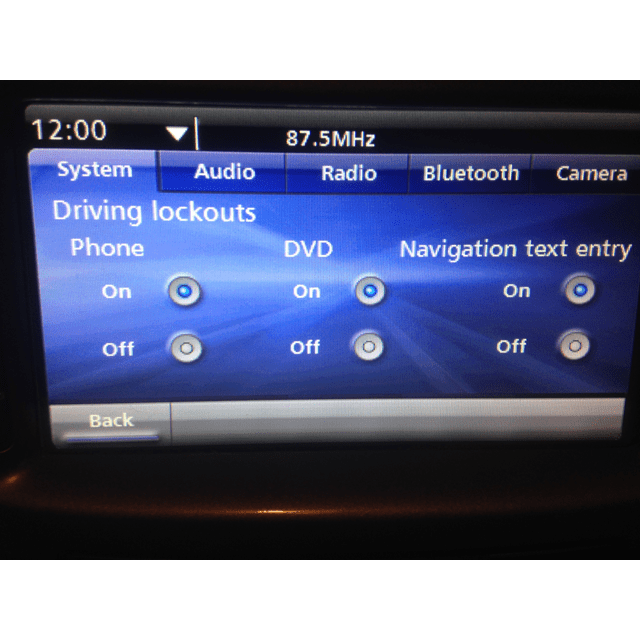
Enable Video in Motion (VIM) on your Holden VE Series 2 IQ Radio so DVD/media player content from your Rear Seat Entertainment (RSE) input keeps playing while driving. DIY OBDSync kit — includes scantool plus 2 tokens.
Same kit also covers security linking, reverse camera, RSE enable, custom logo, audio setup and more.
Unlock Video in Motion on your VE Series 2 IQ Radio so DVD or media-player content fed in via the Rear Seat Entertainment (RSE) video input keeps playing while the vehicle is moving. We ship you an OBDSync scantool plus 2 tokens so you can complete the programming — and unlock a stack of other configurable options too — from home.
By default, the VE Series 2 IQ Radio blocks video output while the vehicle is moving — a safety lockout that pauses any DVD or aftermarket media player feeding into the RSE video input as soon as the car starts rolling. Our service unlocks the Video in Motion (VIM) setting so the video keeps playing for your rear-seat passengers regardless of vehicle speed.
This is a DIY-only service. We ship you an OBDSync scantool plus the two tokens needed to license the radio. You run the programming yourself at home using a Windows laptop — the radio never has to leave your vehicle.
Same kit, more capability: the OBDSync software also handles security linking, reverse camera enable, RSE enable, custom boot-up logo, audio setup and more — so once you’ve got the kit you can configure your radio to suit, any time.
Suits all VE Series 2 Commodore, Statesman/Caprice and HSV variants fitted with the IQ infotainment head unit (built 2010–2013):
Upgrading your VE Series 1 vehicle to a Series 2 IQ head unit? This kit can configure VIM (and all other options) on the converted radio. Note that a proper Series 1 → Series 2 IQ conversion also requires:
Both available separately — ask us for links if you’d like the matching parts.
We post you the OBDSync scantool along with 2 tokens needed to license your IQ radio. Plug it into your car’s OBD-II port, connect to a Windows laptop, and follow the on-screen prompts.
The hardware that connects to your car’s OBD-II port and talks to your laptop. Yours to keep for future diagnostic and programming work.
The two universal OBDSync tokens needed to license your VE Series 2 IQ radio to enable VIM and any other configurations through the software.
VIM is the headline feature of this product page, but the OBDSync software gives you access to everything our security-linking kit does too — mix and match what you enable any time, all from the same kit:
Watch the OBDSync DIY VE IQ Radio process from start to finish — same kit, same software, same straightforward workflow whether you’re enabling VIM, security linking or any of the other features.
You will need a laptop running 64-bit Windows 10 or 11 to run the OBDSync software. The software does not run on macOS, Linux, ChromeOS or mobile devices.
When you add this product to your cart you’ll be asked to enter your vehicle’s 17-character VIN. We’ll contact you after your order if there are any other questions.
This listing is for the DIY programming kit only — no head unit or DVD/media player is supplied.
| Weight | 0.5 kg |
|---|---|
| car-model | Clubsport, Grange, GTS, Maloo, Senator, Commodore, Ute, Calais, Caprice, Statesman |
| car-year | 2013, 2012, 2011, 2010, 2009, 2008, 2007, 2006 |