
$250.00

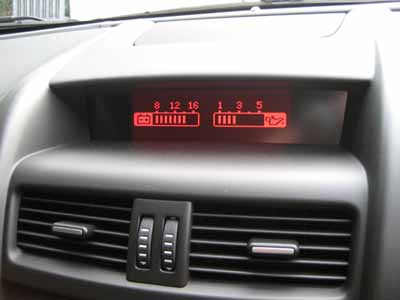
DIY VE Series 1 SIC Gauge Display Module Programming — enable the SS-V dual gauge display (battery voltage & oil pressure) on your VE Series 1 instrument cluster.
Done from home using the included OBDSync scantool and a printed 2-token redemption serial. Plug into your VE’s OBD-II port from a Windows laptop and the dual gauge display is enabled in minutes.
Note: Some VEs do not broadcast live oil temp / pressure sensor data — this depends on your car’s ECU firmware and which sensors are available to broadcast.
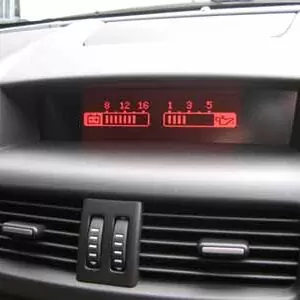
Unlock the SS-V dual gauge display on your VE Series 1 instrument cluster — battery voltage and oil pressure shown live in the centre display. DIY kit ships with an OBDSync scantool and a 2-token redemption serial, programmed from a Windows laptop in your driveway.
The SIC module (Steering wheel Interface Control) handles the centre display in your VE Series 1 instrument cluster, including the trip computer screens and any auxiliary gauge layouts. From the factory, the SS-V dual gauge display — the high-spec layout that shows live battery voltage and oil pressure in the centre cluster — is only enabled on cars optioned that way at the factory.
This kit lets you turn that dual gauge display on yourself. Programming runs through OBDSync on a Windows laptop, plugged into your VE’s OBD-II port — the module stays in the car, no removal or shipping required.
Some VEs do not broadcast live oil temperature or oil pressure sensor data — this is down to the firmware on your car’s ECU and whether those sensors are wired up to broadcast on the bus. If your car doesn’t broadcast the data, the gauge will be enabled but won’t read live values. We recommend checking with us first if you’re unsure about your specific build.
Provide your VIN at checkout. We ship the OBDSync scantool together with a printed 2-token redemption serial.
Download & install OBDSync (Windows 10 / 11, 64-bit). Create or sign in to your OBDSync account, then enter your redemption serial to add the 2 tokens to your own account.
Plug the scantool into your VE’s OBD-II port, select the SS-V dual gauge display option in OBDSync, and the SIC module is reconfigured in minutes.
Your OBDSync scantool isn’t a single-use tool — once you’ve got it, it stays useful for plenty of other VE-platform programming jobs. Any future jobs simply need their own tokens added to your account:
Works on all Holden VE Series 1 vehicles (2006–2010) with the factory instrument cluster & SIC module:
OBDSync runs on Windows 10 or Windows 11 (64-bit only). A laptop is recommended so you can sit in the car with the scantool plugged into the OBD-II port. A free USB-A port is required.
When you add this product to your cart you’ll be asked for your VIN so we can verify the kit is suitable for your vehicle. Your scantool and printed token redemption serial are dispatched once your order is processed — you then redeem that serial yourself inside OBDSync to apply the tokens to your account.
DIY kit only — SS-V dual gauge display enabled from your driveway in minutes.
| Weight | 0.5 kg |
|---|---|
| Dimensions | 20 × 8 × 8 cm |
| car-model | Commodore, Ute |
| car-year | 2010, 2009, 2008, 2007, 2006 |