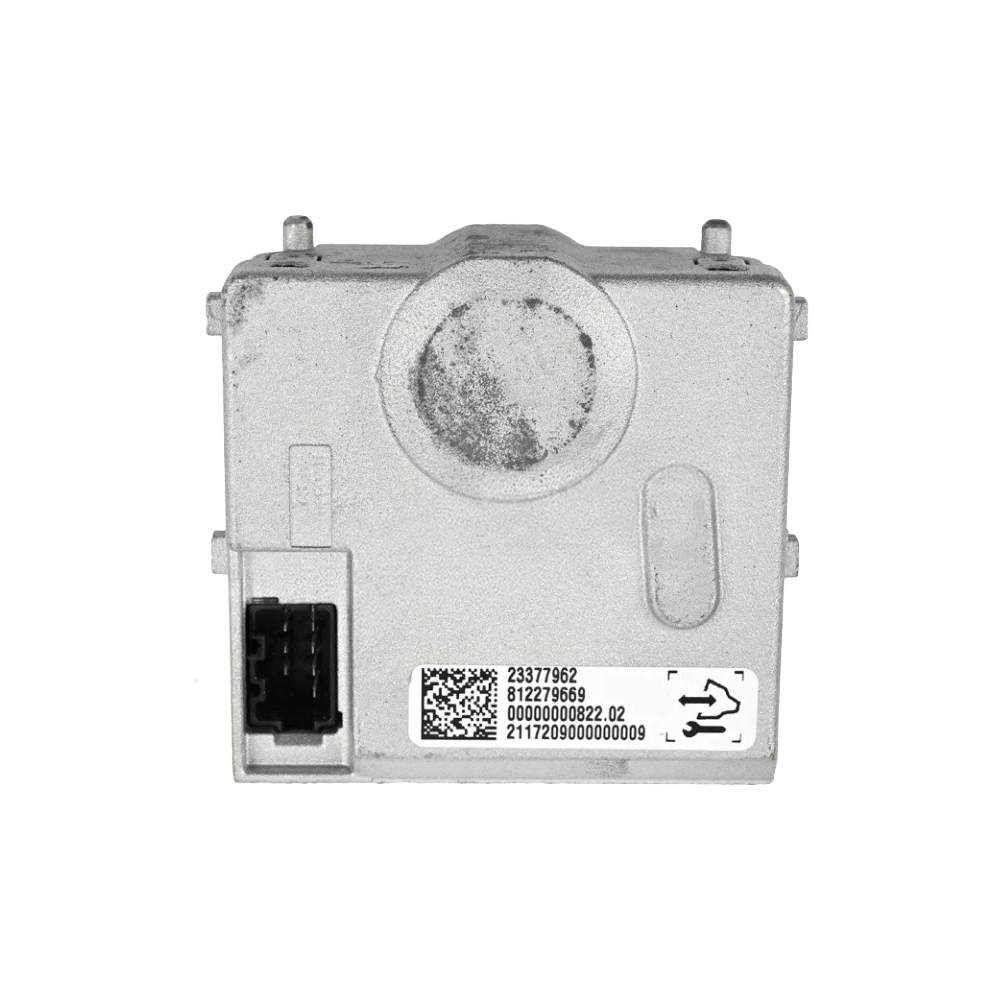
Holden JH Cruze • 2011-2016
JH Cruze SCLM Programming Service
Security link a replacement Steering Column Lock Module to your VIN and clear the famous JH Cruze “Steering Locked” no-start fault. DIY kit ships with an OBDSync scantool and a 2-token redemption serial — programmed in your driveway over OBD-II.
Service Type
DIY — OBDSync
Included
Scantool + 2-Token Serial
Compatibility
JH Cruze 2011-2016
About This Service
The Steering Column Lock Module (SCLM) in your JH Cruze drives the anti-theft steering column lock pin that engages when the ignition is off. SCLM failure is one of the most common JH Cruze faults — the column lock fails to retract, the dash shows “Steering Locked”, and the car will not crank or start. When the SCLM is replaced — or you want to push the latest factory calibrations — the unit needs to be security linked to your VIN before the lock will release.
All programming is done in the vehicle via OBD-II using OBDSync on a Windows laptop — no need to remove or ship the SCLM.
What You Can Do With This Kit
⚙️Calibration Update — flash the latest factory SCLM calibrations from GM
🔐VIN Security Link — pair a swapped-in SCLM to your VIN and clear “Steering Locked”
How It Works — 3 Simple Steps
1
Order & Receive the Kit
Provide your VIN at checkout. We ship the OBDSync scantool with a printed 2-token redemption serial.
2
Install OBDSync & Redeem Your Serial
Download & install OBDSync (Windows 10 / 11, 64-bit). Sign in and enter your redemption serial to add the 2 tokens.
3
Plug In & Program
Plug the scantool into your Cruze’s OBD-II port, select SCLM options in OBDSync, work completed in minutes.
See It in Action
Watch the full OBDSync DIY walkthrough for the JH Cruze Steering Column Lock Module (SCLM) — security linking a replacement SCLM and clearing the “Steering Locked” no-start fault, step by step.
What’s Included in Your Kit
- ✓OBDSync Scantool — USB-to-OBD-II adapter
- ✓Printed 2-Token Redemption Serial
- ✓OBDSync Software Access — free Windows download with lifetime updates
- ✓Step-by-step instructions inside OBDSync
ⓘ Please note: We do not pre-load tokens onto your account. You apply the tokens yourself by entering the supplied redemption serial inside OBDSync after install.
Compatible Vehicles
Works on all Holden JH Cruze (2011-2016) variants — all JH Cruze models have a Steering Column Lock Module:
✓JH Cruze Sedan, Hatch, Sportwagon
✓All petrol and diesel drivetrains
✗NOT for 2010 JG Cruze — separate listing
System Requirements
💻
Windows Laptop Required
OBDSync runs on Windows 10 or 11 (64-bit only).
📝
Captured at checkout
VIN required at checkout. Scantool and printed redemption serial dispatched once the order is processed.
DIY kit only — pair in a replacement SCLM and clear the “Steering Locked” fault from your driveway.
 English