
$250.00


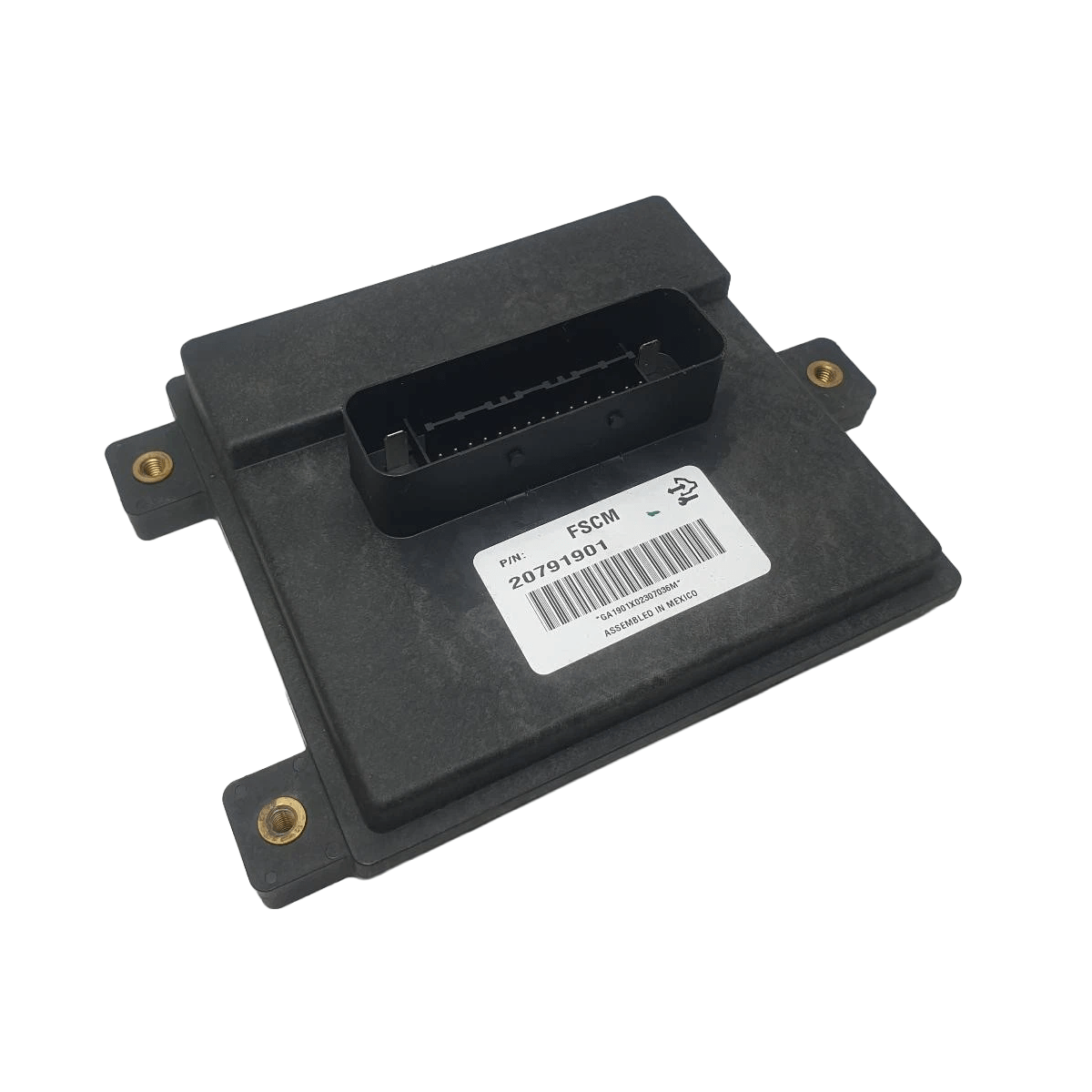
DIY CG2 Captiva FPCM Programming Service — security link a replacement Fuel Pump Control Module to your VIN and push the latest factory calibration updates.
Kit ships with an OBDSync scantool and 2-token redemption serial. Programmed in your driveway over OBD-II.
For all CG2 Captiva drivetrains (2011–2018) — the FPCM controls the in-tank fuel pump via a dedicated driver module separate from the ECM.
Security link a replacement Fuel Pump Control Module to your VIN and push the latest GM calibration updates. DIY kit ships with an OBDSync scantool and a 2-token redemption serial — programmed in your driveway over OBD-II.
The Fuel Pump Control Module (FPCM) on your CG2 Captiva is a dedicated driver module that runs the in-tank electric fuel pump — varying pump speed to maintain correct rail pressure across engine load. The FPCM is a separate unit from the ECM and is commonly replaced when there are no-start, low-fuel-pressure or pump-cycling faults. When replaced, the new unit needs to be security linked to your VIN before it will operate.
All programming is done in the vehicle via OBD-II using OBDSync on a Windows laptop — no need to remove or ship the FPCM.
Provide your VIN at checkout. We ship the OBDSync scantool with a printed 2-token redemption serial.
Download & install OBDSync (Windows 10 / 11, 64-bit). Sign in and enter your redemption serial to add the 2 tokens.
Plug the scantool into your Captiva’s OBD-II port, select FPCM options in OBDSync, work completed in minutes.
Watch the full OBDSync DIY walkthrough for the CG2 Captiva Fuel Pump Control Module (FPCM) — security linking a replacement FPCM and flashing the latest calibrations, step by step.
Works on all Holden CG2 Captiva (2011–2018) drivetrains:
OBDSync runs on Windows 10 or 11 (64-bit only).
VIN required at checkout. Scantool and printed redemption serial dispatched once the order is processed.
DIY kit only — pair in a replacement FPCM and push the latest calibrations from your driveway.
| Weight | 0.2 kg |
|---|---|
| Dimensions | 15 × 10 × 5 cm |