 English


$350.00


DIY Gen5 Camaro IPC Programming Service — security link a replacement Instrument Panel Cluster to your VIN, configure body / engine / transmission options, unlock the hidden Performance Menu, push factory calibration updates.
Kit ships with an OBDSync scantool and 4-token redemption serial. Programmed in your driveway over OBD-II.
For all Gen5 Camaro (2010–2015) variants — V6, SS, ZL1, Z/28. Includes MRC service warning config for magnetic ride trims.
Security link a replacement Instrument Panel Cluster to your VIN, configure body / engine / transmission / option settings, unlock the hidden Performance Menu (0–100, G-meter, lap timer), and push the latest GM calibration updates. DIY kit ships with an OBDSync scantool and a 4-token redemption serial.
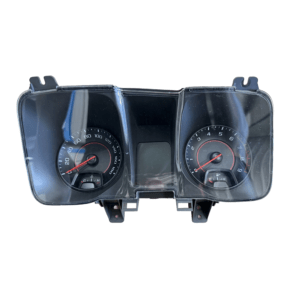
The Instrument Panel Cluster (IPC) on your Gen5 Camaro is the central display for the speedo, tacho, trip computer, oil life, transmission temperature, TPMS, MRC suspension warnings and the optional hidden Performance Menu. It has to be configured for the exact body / engine / transmission combination in your specific car to function correctly — especially important for grey-import / RHD-converted Camaros where the cluster may have come from a different spec donor.
All programming is done in the vehicle via OBD-II using OBDSync on a Windows laptop — no need to remove or ship the cluster.
The factory Performance Menu (0–60, lap timer, G-meter, accelerator/brake position, lateral acceleration) shipped on ZL1 by default but is locked but present on all Gen5 cluster firmware. Flip the switch here and the menu appears in your driver-info display — no hardware changes required.
Provide your VIN at checkout. We ship the OBDSync scantool with a printed 4-token redemption serial.
Download & install OBDSync (Windows 10 / 11, 64-bit). Sign in and enter your redemption serial to add the 4 tokens.
Plug the scantool into your Camaro’s OBD-II port, select IPC options in OBDSync, work completed in minutes.
Watch the full OBDSync DIY walkthrough for the Gen5 Camaro Instrument Panel Cluster (IPC) — security linking a replacement cluster, configuring options, and unlocking the hidden Performance Menu, step by step.
Works on all Chevrolet Gen5 Camaro variants (2010–2015):
OBDSync runs on Windows 10 or 11 (64-bit only).
VIN required at checkout. Scantool and printed redemption serial dispatched once the order is processed.
DIY kit only — pair in a replacement cluster, unlock the Performance Menu, configure your build from your driveway.
| Weight | 0.2 kg |
|---|---|
| Dimensions | 15 × 10 × 5 cm |