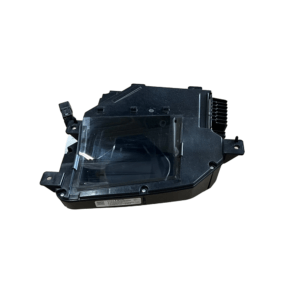
Chevrolet Gen5 Camaro • 2010–2015 • HUD-Equipped Trims
Gen5 Camaro HUD Programming Service
Security link a replacement Heads Up Display module to your VIN and push the latest GM calibration updates. DIY kit ships with an OBDSync scantool and a 3-token redemption serial — programmed in your driveway over OBD-II.
Service Type
DIY — OBDSync
Included
Scantool + 3-Token Serial
Compatibility
HUD-equipped trims
About This Service
The Heads Up Display (HUD) on your Gen5 Camaro projects speed, gear, lap timer / G-meter and the optional Performance Menu data onto the windscreen via a small projector at the base of the dash. When the HUD is replaced (after a fault, dim image, or a swap from a wrecker), the new unit needs to be security linked to your VIN and loaded with the correct factory calibrations before it will operate.
All programming is done in the vehicle via OBD-II using OBDSync on a Windows laptop — no need to remove or ship the HUD.
What You Can Do With This Kit
⚙️Calibration Update — flash the latest factory HUD calibrations from GM
🔐VIN Security Link — pair a swapped-in HUD to your VIN
How It Works — 3 Simple Steps
1
Order & Receive the Kit
Provide your VIN at checkout. We ship the OBDSync scantool with a printed 3-token redemption serial.
2
Install OBDSync & Redeem Your Serial
Download & install OBDSync (Windows 10 / 11, 64-bit). Sign in and enter your redemption serial to add the 3 tokens.
3
Plug In & Program
Plug the scantool into your Camaro’s OBD-II port, select HUD options in OBDSync, work completed in minutes.
See It in Action
Watch the full OBDSync DIY walkthrough for the Gen5 Camaro Heads Up Display (HUD) — security linking a replacement HUD and flashing the latest factory calibrations, step by step.
What’s Included in Your Kit
- ✓OBDSync Scantool — USB-to-OBD-II adapter
- ✓Printed 3-Token Redemption Serial
- ✓OBDSync Software Access — free Windows download with lifetime updates
- ✓Step-by-step instructions inside OBDSync
ⓘ Please note: We do not pre-load tokens onto your account. You apply the tokens yourself by entering the supplied redemption serial inside OBDSync after install.
Compatible Vehicles
Works on Chevrolet Gen5 Camaro variants (2010–2015) factory-fitted with the Heads Up Display option:
✓2RS / 2SS (with HUD option)
✓RS (with HUD option)
✓ZL1 (HUD standard)
✓Z/28 (with HUD option)
ⓘNot applicable to base 1LS / 1LT / 1SS without HUD
System Requirements
💻
Windows Laptop Required
OBDSync runs on Windows 10 or 11 (64-bit only).
📝
Captured at checkout
VIN required at checkout. Scantool and printed redemption serial dispatched once the order is processed.
DIY kit only — pair in a replacement HUD from your driveway.
 English