 English


$300.00


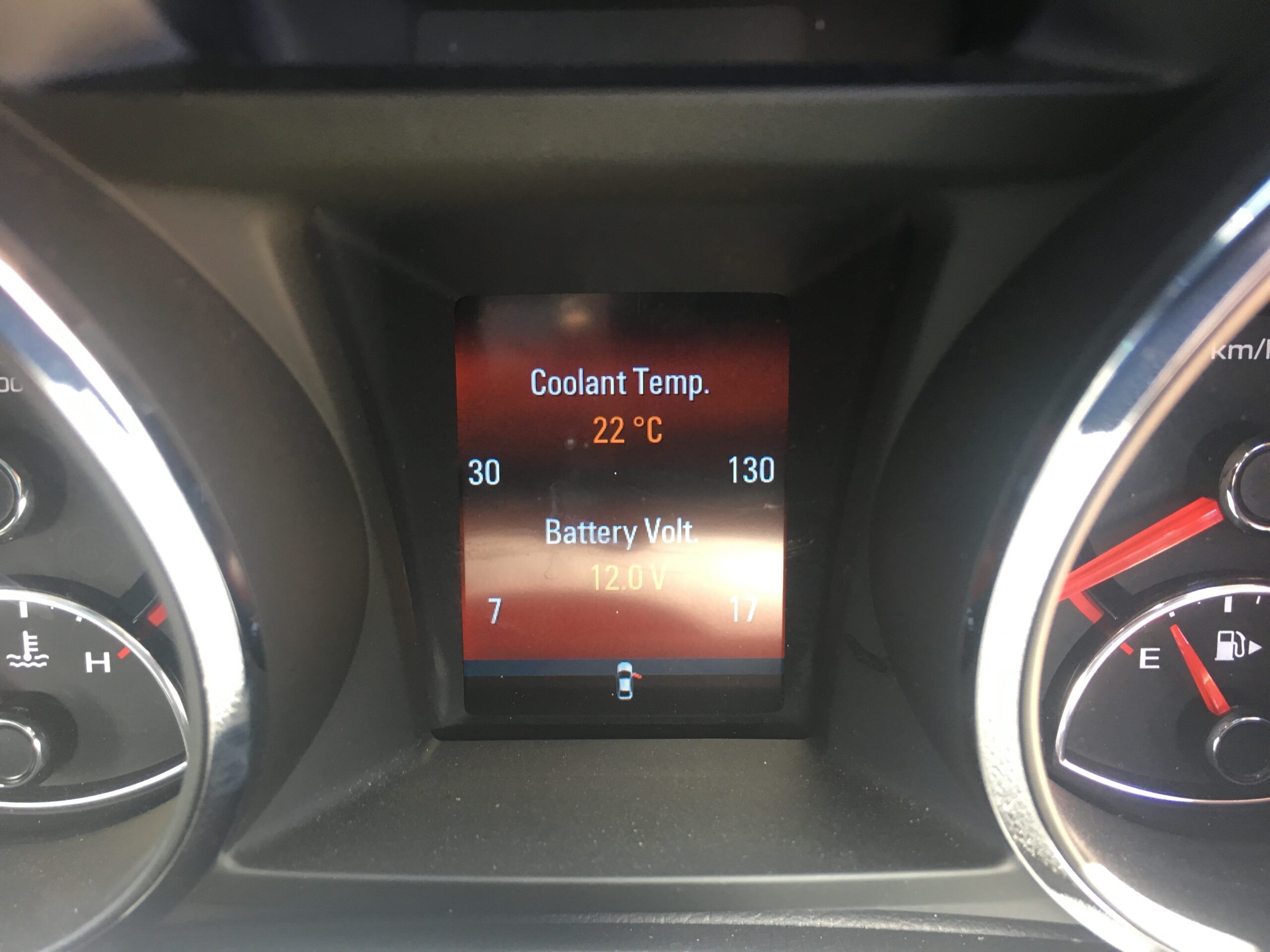
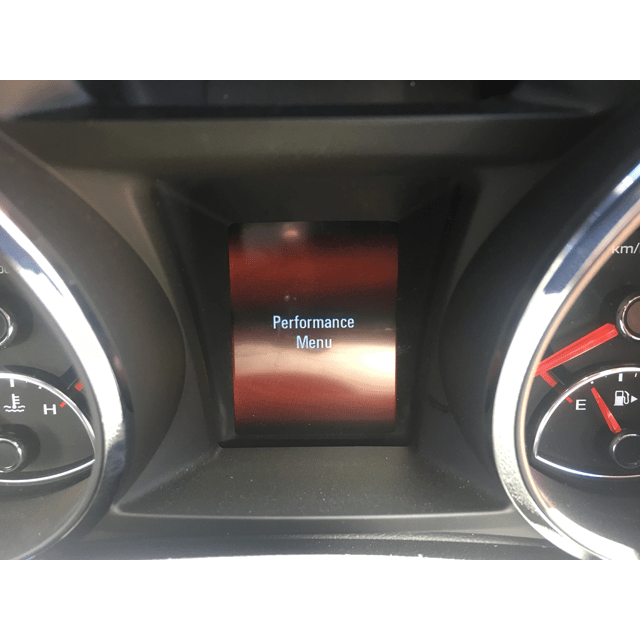
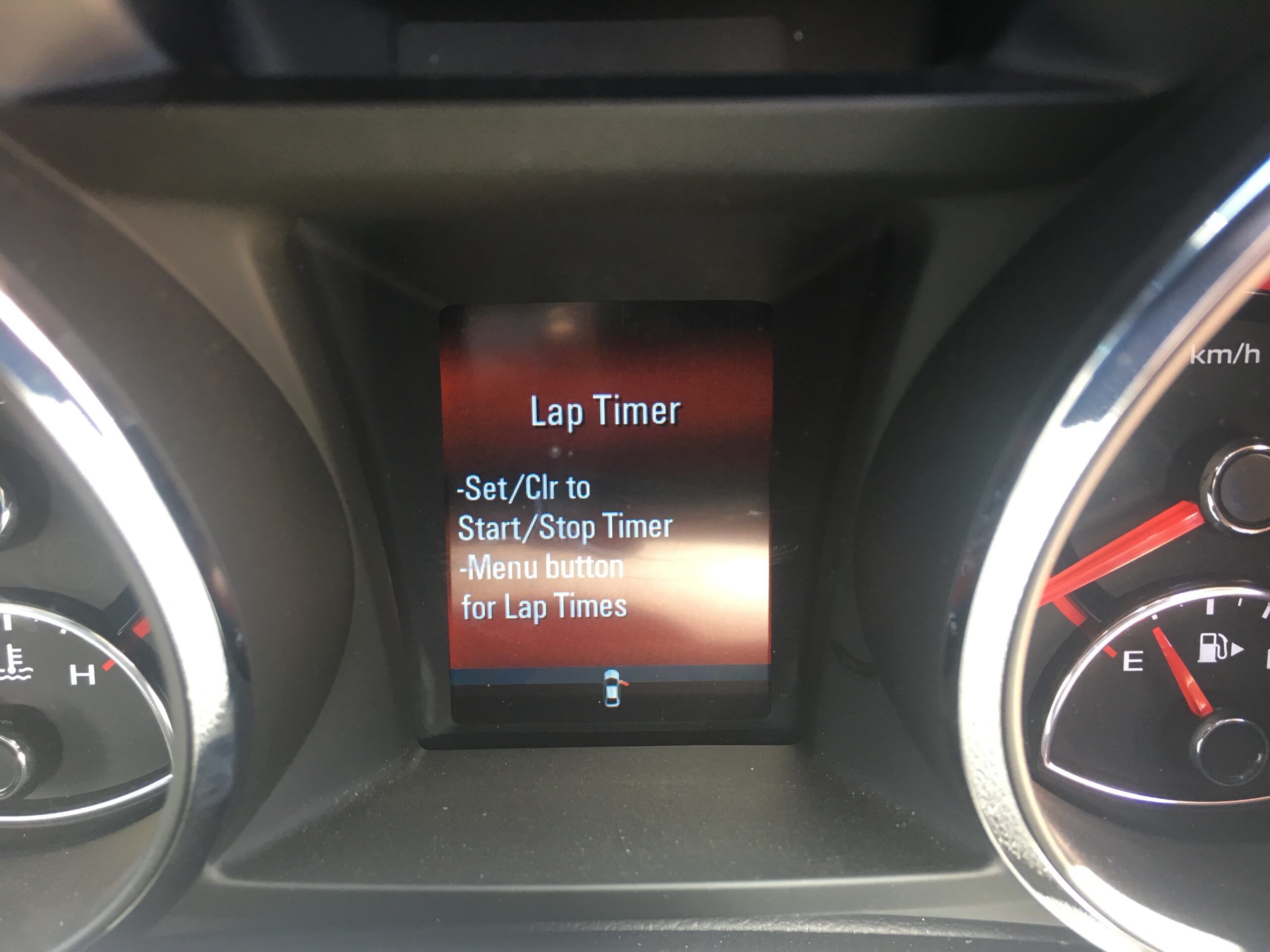
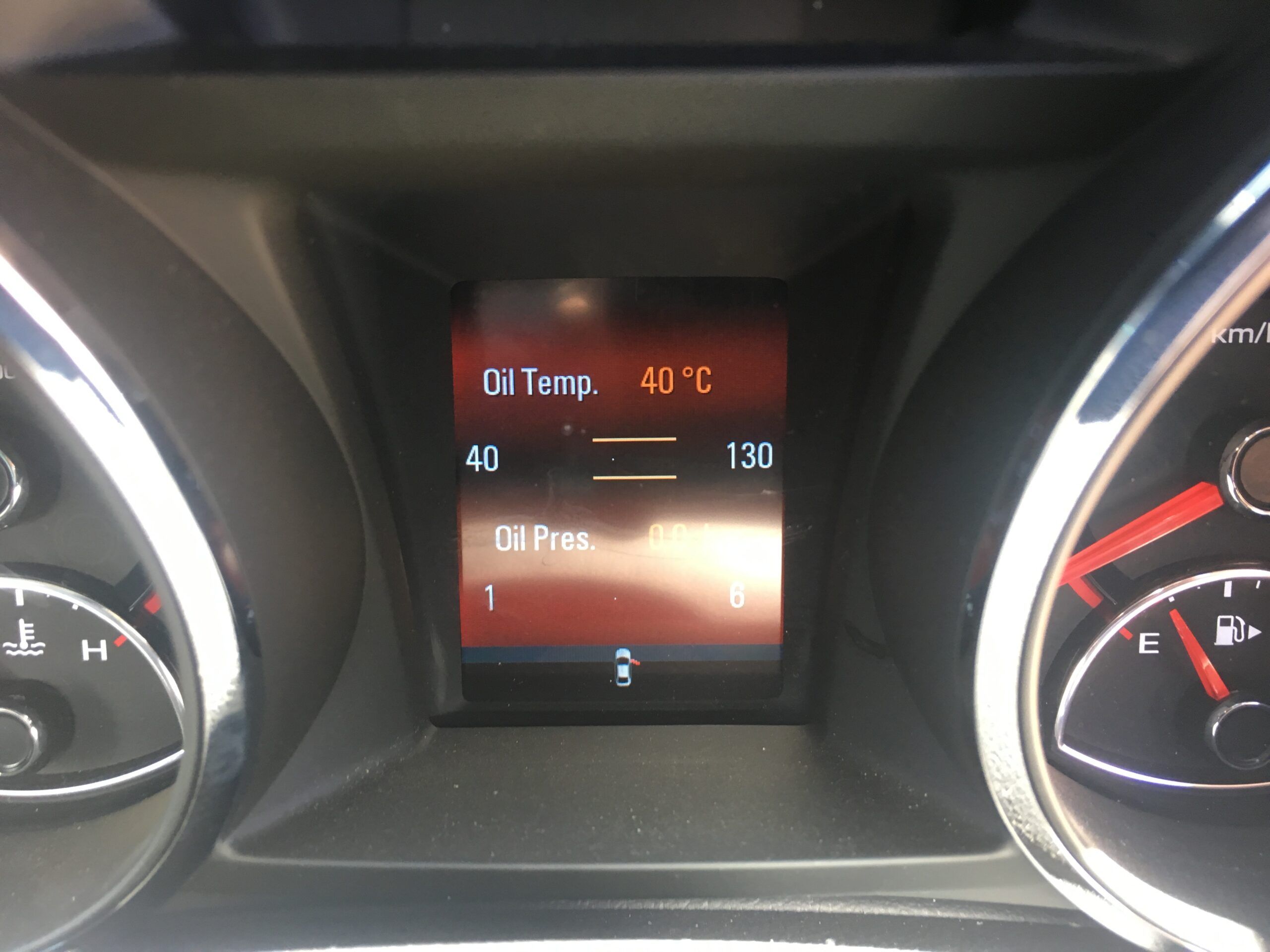
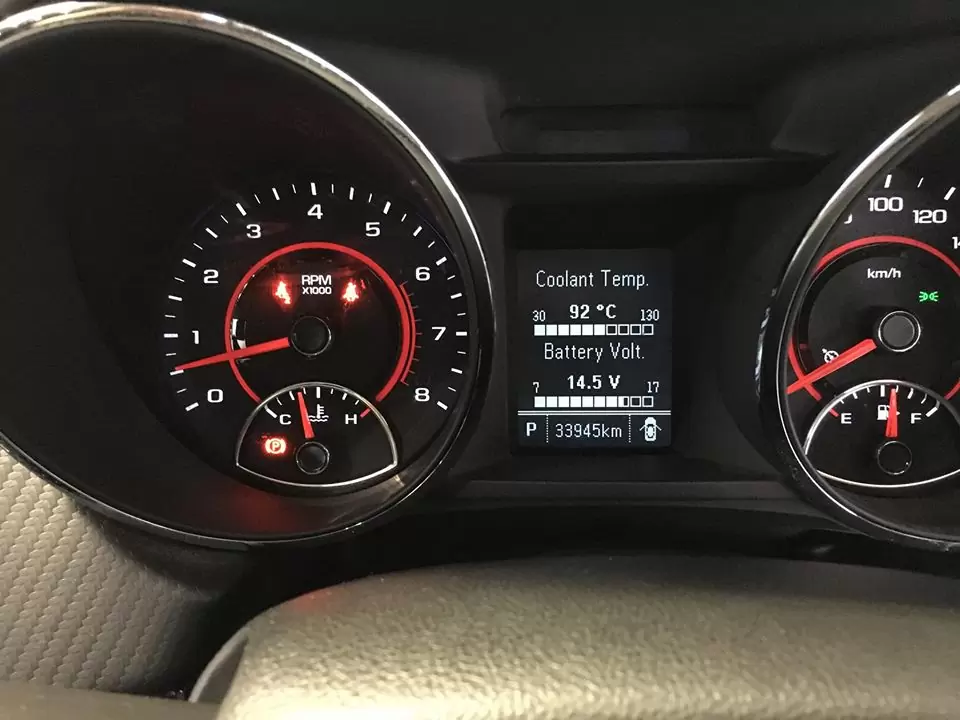
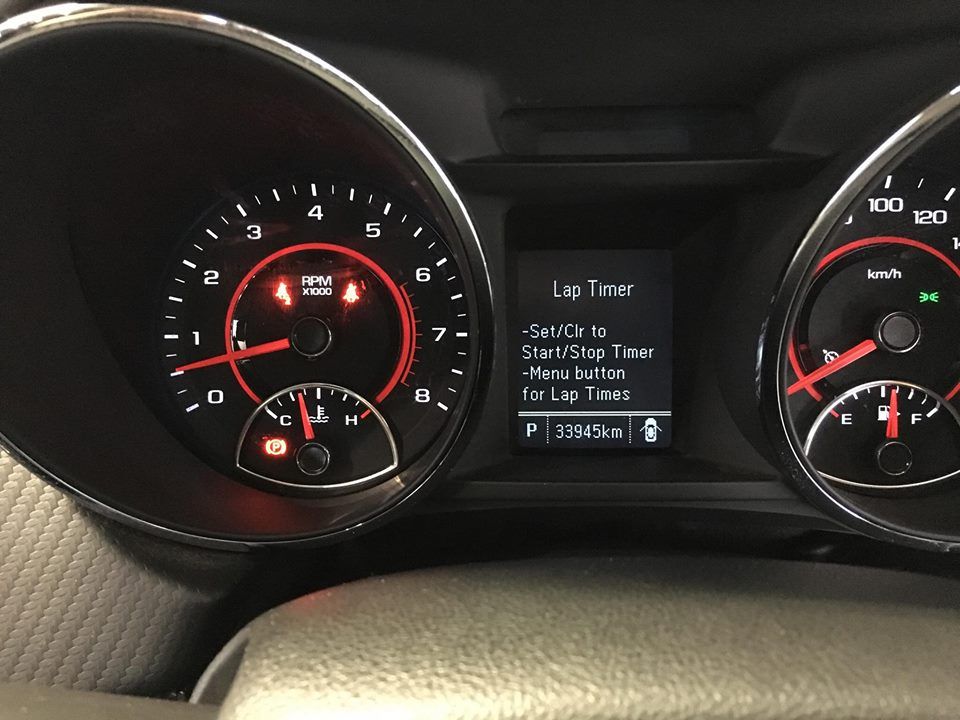
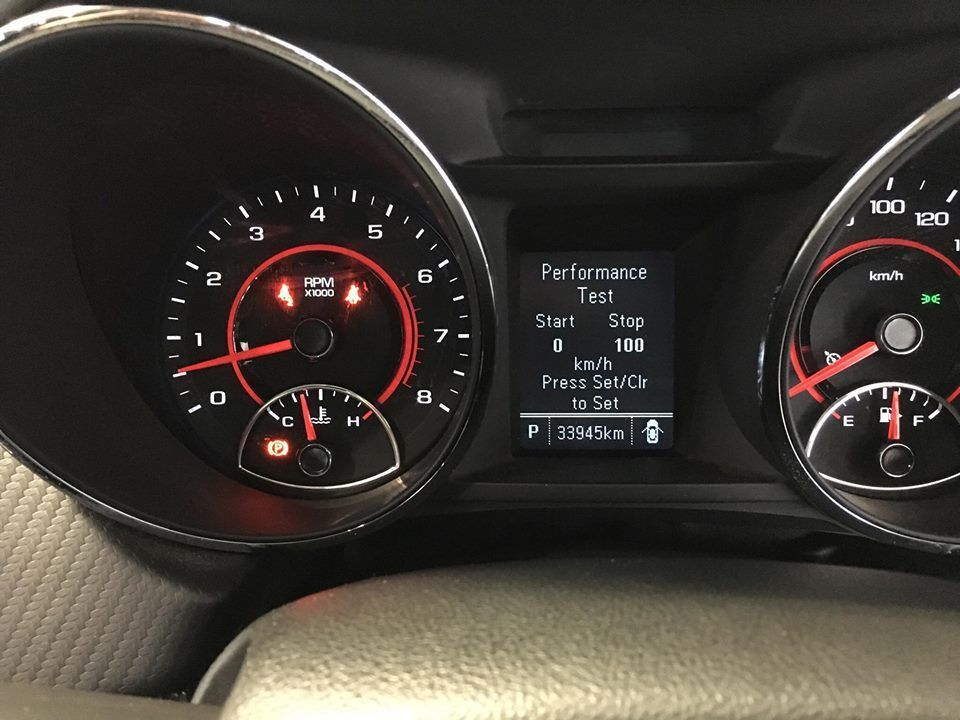
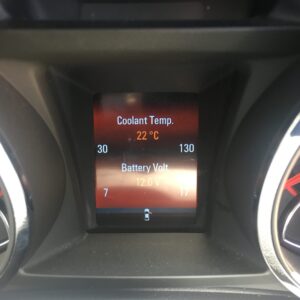
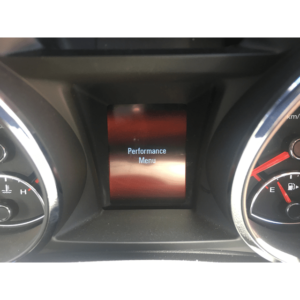
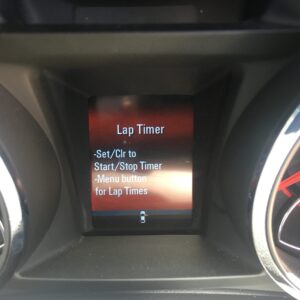
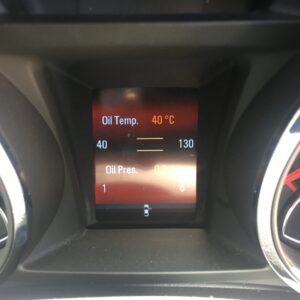
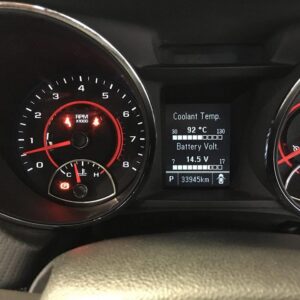
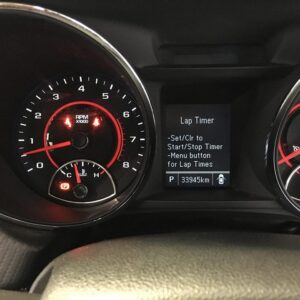
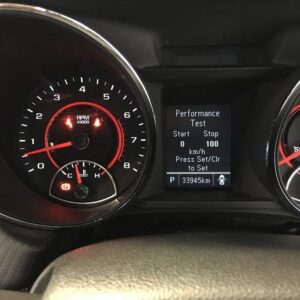
Unlock the hidden Performance Menu on your Holden VF Commodore or HSV Gen-F instrument cluster — live oil pressure & temperature (V8), coolant temp, battery voltage, 0–100 performance timer and a lap timer, all displayed in the centre of your dash.
DIY at home using the included OBDSync scantool and a 3-token redemption serial that you redeem onto your own OBDSync account. Plug into the OBD-II port, toggle Performance Menu on, done in minutes.
This kit also unlocks the full suite of VF cluster configuration edits — the same options available through our complete VF cluster programming product — so you can keep tweaking your dash whenever you like.
Switch on the factory-hidden Performance Menu in your VF cluster — live oil pressure & temperature (V8), coolant temp, battery voltage, 0–100 performance timer and lap timer. DIY using the included OBDSync scantool and a 3-token redemption serial.
The Holden VF instrument cluster ships with a hidden Performance Menu — a series of live data and timer screens accessed via the centre information display. From the factory this menu is disabled on most variants (only fitted as standard on SS-V Redline and some HSVs), even though every VF cluster has the capability built in.
This kit lets you enable that Performance Menu yourself from a Windows laptop using OBDSync. Plug the included scantool into your OBD-II port, run the Performance Menu toggle, and you’ll have access to live performance data on your dash in minutes.
Note: Enabling the Performance Menu replaces the factory ECO Menu in the same cluster page. You can switch back to ECO at any time using the same OBDSync software.
Once enabled, the Performance Menu adds these screens to your centre cluster display:
Provide your VIN at checkout. We ship the OBDSync scantool together with a printed 3-token redemption serial.
Download & install OBDSync (Windows 10 / 11, 64-bit). Create or sign in to your OBDSync account, then enter your redemption serial to add the 3 tokens to your own account.
Plug the scantool into your VF’s OBD-II port, run the Performance Menu toggle in OBDSync, and the menu is enabled in minutes.
The OBDSync software doesn’t stop at the Performance Menu — the same kit gives you access to the full VF instrument cluster configuration suite. Toggle features on or off whenever you like, with no extra hardware purchases needed:
For the complete VF cluster configuration list, see our VF Instrument Cluster Programming product page — this kit gives you access to all the same options.
Works on all Holden VF Commodore and HSV Gen-F vehicles with the factory cluster (2013–2017):
OBDSync runs on Windows 10 or Windows 11 (64-bit only). A laptop is recommended so you can sit in the car with the scantool plugged into the OBD-II port. A free USB-A port is required.
When you add this product to your cart you’ll be asked for your VIN so we can verify the kit is suitable for your vehicle. Your scantool and printed token redemption serial are dispatched once your order is processed — you then redeem that serial yourself inside OBDSync to apply the tokens to your account.
DIY kit only — toggle Performance Menu on or off (and tweak every other VF cluster setting) whenever you like, from your driveway.
| Weight | 0.2 kg |
|---|---|
| Dimensions | 15 × 10 × 5 cm |
| Engine | V6, V8 |