
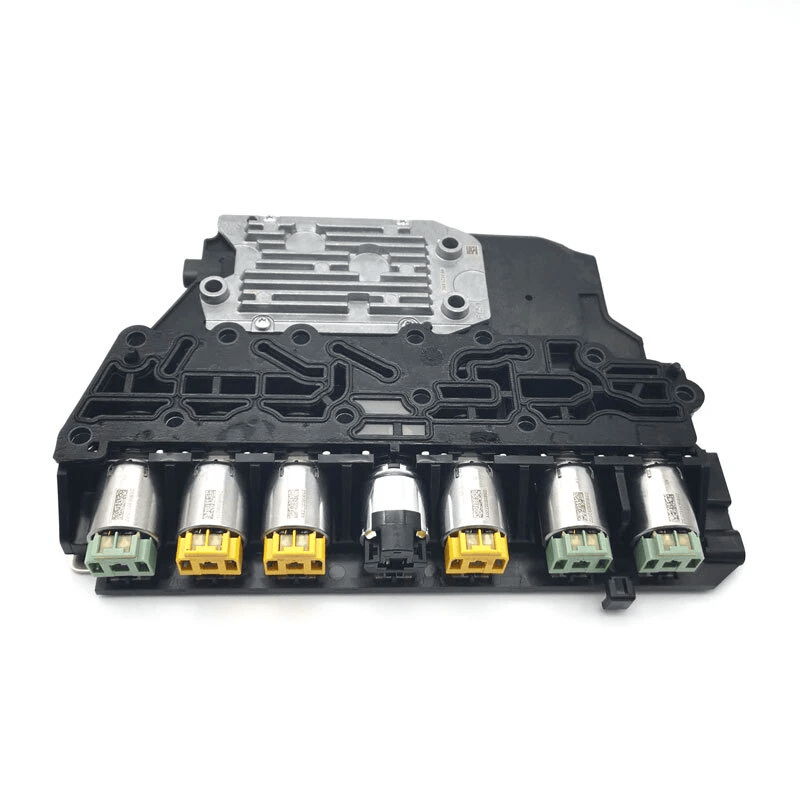
$250.00


DIY CG1 Captiva TCM Programming Service — security link a replacement Transmission Control Module to your VIN and push the latest factory calibration updates.
Kit ships with an OBDSync scantool and 2-token redemption serial. Programmed in your driveway over OBD-II.
For automatic-transmission CG1 Captiva models (2007–2010).
Security link a replacement Transmission Control Module to your VIN and push the latest GM calibration updates. DIY kit ships with an OBDSync scantool and a 2-token redemption serial — programmed in your driveway over OBD-II.
The Transmission Control Module (TCM) on your CG1 Captiva manages shift logic, line pressure, torque converter lockup and adaptive shift learn. When the TCM is replaced, the new unit needs to be security linked to your VIN and loaded with the correct factory calibrations before the auto will shift correctly.
All programming is done in the vehicle via OBD-II using OBDSync on a Windows laptop — no need to remove or ship the TCM.
Provide your VIN at checkout. We ship the OBDSync scantool with a printed 2-token redemption serial.
Download & install OBDSync (Windows 10 / 11, 64-bit). Sign in and enter your redemption serial to add the 2 tokens.
Plug the scantool into your Captiva’s OBD-II port, select TCM options in OBDSync, work completed in minutes.
Watch the full OBDSync DIY walkthrough for the Captiva Transmission Control Module (TCM) — security linking a replacement TCM and flashing the latest factory calibrations, step by step. The same procedure applies to both CG1 and CG2 Captiva TCMs.
Works on all automatic-transmission CG1 Captiva models (2007–2010).
OBDSync runs on Windows 10 or 11 (64-bit only).
VIN required at checkout. Scantool and printed redemption serial dispatched once the order is processed.
DIY kit only — pair in a replacement TCM and push the latest calibrations from your driveway.
| Weight | 0.2 kg |
|---|---|
| Dimensions | 15 × 10 × 5 cm |